MR47BE [V1] | BE9300 Tri-Band Wi-Fi 7 Router




MR47BE
BE9300 Tri-Band Wi-Fi 7 Router
Blazing-Fast 9.3Gbps Tri-Band Speeds: Enables your devices to run at full speed. Enjoy fluent 4K/8K streaming, immersive AR/VR gaming, and blazing-fast downloads.†
Newest WiFi 7: Armed with the 320 MHz channels, 4K-QAM, MLO, the 6 GHz band, and other features that WiFi 7 offers, your network will arrive with a jaw-dropping performance.‡
Multi-Link Operation (MLO): Increases throughput, reduces latency, and improves reliability for emerging applications.‡
4× 2.5G Ports: 1× 2.5 Gbps WAN port and 3× 2.5 Gbps LAN ports break through the 1G bottleneck, driving your devices to peak performance.
Maximized Coverage: 6× Omni directional antennas, proprietary Wi-Fi optimization, and Beamforming technology deliver broader coverage, more capacity, stronger and more reliable connections, and less interference.
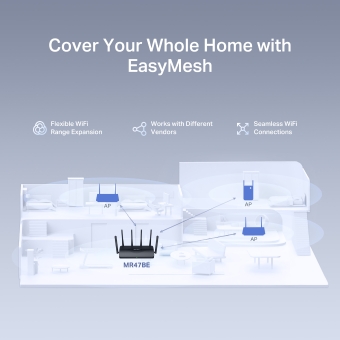
EasyMesh-Compatible: Works with EasyMesh routers and range extenders to form seamless whole home Mesh WiFi, preventing drops and lag when moving between signals.
Easy Setup and Use: Network management has never been easier with the MERCUSYS app.
Bring Your Home Network to a New World
MERCUSYS Wi-Fi 7 Router
MR47BE 

Tri-Band WiFi 7 Speeds up to 9.3 Gbps
320 MHz Channels
New 6 GHz Band
4K QAM for
More Data
Full 2.5 Gbps Ports
6× Omni Directional High-Gain Antennas
Multi-Link Operation
Easy App Control
WiFi 7 Brings Your Network to a Next Level
Armed with WiFi 7, MR47BE makes you enjoy fluid 8K streaming, VR/AR, video conferencing, online gaming, and fast downloads.
-
6 GHz
-
5 GHz
-
2.4 GHz
WiFi 7 Brings Your Network to a Next Level
WiFi 7, the latest WiFi standard, has arrived with jaw-dropping performance—offering accelerated throughput, lower latency, stronger anti-jamming, and higher efficiency. Join the pros and experience the sheer performance of the next generation of WiFi.
-
New 6 GHz Band for Faster Speeds
-
Double the Channel Width and Speeds
-
Packs 20% more data than WiFi 6
-
4× Lower Latency
-
More Connection Over 300 Devices
-
Multi-Link Operation
Full 2.5 Gbps Ports for a Higher Network Performance
Equipped with 1× 2.5 Gbps WAN port and 3× 2.5 Gbps LAN ports. MR47BE allows you to take full advantage of your broadband speed. Plug your PCs, smart TVs, game consoles or NAS devices into the ports for blazing-fast wired connection.
More Targeted Signals that Penetrate Walls
Six external high-gain antennas armed with integrated signal amplifiers provide strong WiFi signals that reach farther. Beamforming detects your connected devices and concentrates wireless signal strength towards them, making your connections more stable.
MR47BE with Beamforming
Cover Your Whole Home with EasyMesh
MR47BE is compatible with EasyMesh, enabling you to set up a whole home mesh network with one WiFi name and password with any other APs that support EasyMesh from multiple vendors. Enjoy flexible, scalable, and seamless mesh WiFi throughout your home!
-
Flexible WiFi Range Expansion
-
Works with Different Vendors
-
Seamless WiFi Connections
Protect Your Kids When They’re Online
Easily manage your kids’ online time and content to create a healthy online environment for all.
-
Create User Profiles
Create a profile for each family member you would like to manage. Assign devices to the profile to set access controls and time limits for them.
-
Online Time Limits
Set daily limits on how long your kids spend online and prevent them from accessing the internet on their devices while doing homework or after bedtime.
-
Block Inappropriate Websites
Simply set a blacklist to block inappropriate sites for your children.
-
Pause Internet Connection
Suspend family members’ internet connections to take a break from the virtual world to enjoy some family time.
Easy Setup and Management via the MERCUSYS App
Without needing technical knowledge or reading installation instructions in advance, just follow the on-screen directions with the MERCUSYS app to set up your router in minutes. The MERCUSYS app helps you set and manage your WiFi at home or away through your iOS or Android devices.


The Latest WPA3 Protects Your Personal Network
The latest security standard, WPA3, offers improved comprehensive WiFi protection to defend your devices and private information against brute-force attacks.4
-
Protect Against Brute-Force Attacks
Delivers robust protection even when you are using a weak password
-
Advanced Forward Secrecy
Prevents data from being snooped even if a cracker compromises a session’s secret keys
-
Unbreakable 128-Bit Encryption
Creates an active defense against security threats and intruders
†Maximum wireless signal rates are the physical rates derived from IEEE Standard 802.11 specifications. Up to 300 device connections is based on laboratory test data, which analyzed the connections of different devices on the 6 GHz, 5 GHz, and 2.4 GHz bands simultaneously. These devices simulated a typical home scenario by running simultaneous applications in the same room that included 4K video, 1080p video, 720p video, file downloading, web browsing, IP cameras, and other loT devices. Actual wireless data throughput, wireless coverage, and connected devices are not guaranteed and will vary as a result of internet service provider factors, network conditions, client limitations, and environmental factors, including building materials, obstacles, volume and density of traffic, and client location. ‡Use of Wi-Fi 7 (802.11be), Wi-Fi 6 (802.11ax), and features including Multi-Link Operation (MLO), 320 MHz Bandwidth, 4K-QAM, Multi-RUs, OFDMA, and MU-MIMO requires clients to also support the corresponding features. The 320 MHz bandwidth is only available on the 6 GHz band. Simultaneously, the 320 MHz bandwidth on the 6 GHz band and 160 MHz bandwidth on the 5 GHz band may be unavailable in some regions/countries due to regulatory restrictions. Double channel width and speed refer to 320 MHz compared to 160 MHz for Wi-Fi 6 routers. This router may not support all the mandatory features as ratified in the IEEE 802.11be specification. Further software upgrades for feature availability may be required. . §2.5 Gbps internet speeds require compatible service plans and equipment. . △4× Lower Latency refers to the latency improvement of Wi-Fi 7 routers compared to Wi-Fi 6/6E routers, based on laboratory test data. The test conditions had the same 5 GHz or 6 GHz single-frequency wireless interference and tested the maximum latencies of Wi-Fi 7 clients (with MLO turned on) connecting to the 5 GHz and 6 GHz bands of a MERCUSYS Wi-Fi 7 router (with MLO turned on) simultaneously and to the 5 GHz or 6 GHz bands of a Wi-Fi 6/6E router (without the MLO function). . *EasyMesh-compatible products can network with other devices that use EasyMesh. Failed connections may be due to firmware conflicts of different vendors. The EasyMesh-compatible function is still being developed on some models and will be supported in subsequent software updates. This product is compatible with standardized EasyMesh technology but has not obtained the Wi-Fi EasyMeshTM certification. . **Use of WPA3 requires clients to also support the corresponding feature. . Actual network speed may be limited by the rate of the product‘s Ethernet WAN or LAN port, the rate supported by the network cable, internet service provider factors, and other environmental conditions.
MERCUSYS
La aplicación MERCUSYS proporciona la manera más fácil de configurar en minutos y administrar tu WiFi en casa o fuera a través de sus dispositivos iOS o Android.
MERCUSYS te ayuda a configurar en unos pocos pasos
Sin ningún conocimiento técnico ni leer instrucciones complicadas, simplemente siga las instrucciones de la aplicación. Configura tu red de malla en minutos.
-
 Halo Power Cable Ethernet Cable
Step 1
Encuentra lo que necesitarás en la caja
-

Step 2
Conecta tus dispositivos
-

Step 3
Siga las instrucciones en pantalla con la aplicación MERCUSYS
Administra tu WiFi en tiempo real
Con la aplicación MERCUSYS, experimenta la gestión de red en vivo. Ve quién se está conectando a tu red y adminístrela en cualquier momento con sus dispositivos iOS o Android.
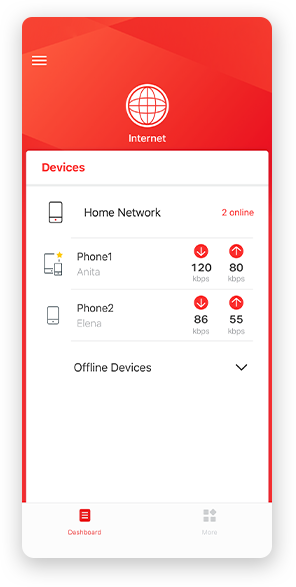
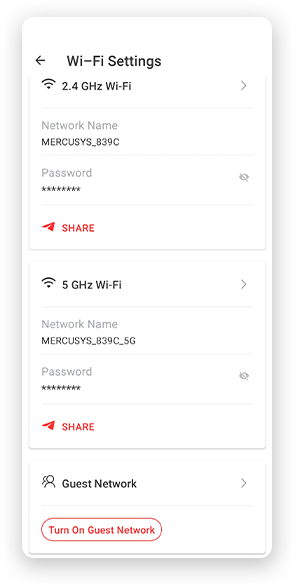
Notice: The configuration page of different models may be different, please refer to the actual one.
Potentes controles parentales
Administra fácilmente el tiempo y el contenido en línea de tus hijos para crear un entorno en línea seguro y saludable.
-
Crear perfiles de usuario
Create a profile for each family member you would like to manage. Assign devices to the profile to set access controls and time limits for them.
-
Límite de tiempo en línea
Set daily limits on how long your kids spend online and prevent them from accessing the internet on their devices for a long time to build a healthy network habit.
-
Bloquear sitios web inapropiados
Control which sites your kids visit by setting a block list.
-
Pausar la conexión a Internet
Suspend family members’ internet connections to take a break from the virtual world to enjoy some family time.
Administra y proteje tu red doméstica
La aplicación MERCUSYS te ayuda a administrar tu WiFi en casa o fuera a través de tus dispositivos iOS o Android.

Comprobar el estado de los dispositivos conectados
Ve intuitivamente el estado de funcionamiento de tu red Halo y ve qué está conectado. Prioriza o bloquea los dispositivos según sea necesario.

Quality of Services
Prioritizes devices you select to perform better.

Alerta de acceso a nuevo dispositivo
La aplicación MERCUSYS envía de manera proactiva una alerta para informarte cuando se conecta un dispositivo desconocido. Toca para bloquear el dispositivo si es un riesgo de seguridad.

Configurar una red de invitados
Proporciona una red separada para invitados para garantizar su seguridad y privacidad.
Todo en una aplicación
Ya sea que estés buscando controlar una amplia gama de routers, extensores o sistemas de malla Halo MERCUSYS, encuéntrela todo en la aplicación.
CompatibilidadProductos compatibles
Nota: El firmware del dispositivo requiere la última versión. Haga clic aquí para saber cómo actualizar su firmware.
Nota: Tanto las versiones de hardware enumeradas como las superiores de estos modelos son compatibles con la aplicación MERCUSYS.
CATEGORIA
-
Halo Mesh
-

Halo H50G V1
AC1900 Whole Home Mesh Wi-Fi System
-

Halo H30G V1
AC1300 Whole Home Mesh Wi-Fi System
-

Halo H80X V1
AX3000 Whole Home Mesh WiFi 6 System
-

Halo H70X V1
AX1800 Whole Home Mesh WiFi 6 System
-

Halo H30 V1
AC1200 Whole Home Mesh Wi-Fi System
-

Halo H90X V1
AX6000 Whole Home Mesh Wi-Fi System
-
-
Wi-Fi Routers
-

MR70X V1
AX1800 Dual Band Wi-Fi 6 Router
-

MR80X V1
AX3000 Dual-Band Wi-Fi 6 Router
-

MR50G V1
AC1900 Wireless Dual Band Gigabit Router
-

AC12G V2
AC1300 Wireless Dual Band Gigabit Router
-

MR30G V1
AC1200 Wireless Dual Band Gigabit Router
-
MR1200G V1
AC1200 Wireless Dual Band Gigabit Router
-
MR1900G V1
AC1200 Wireless Dual Band Gigabit Router
-

MR1800X V1
AX1800 Dual-Band WiFi 6 Router
-

MR90X V1
AX6000 8-Stream Wi-Fi 6 Router
-
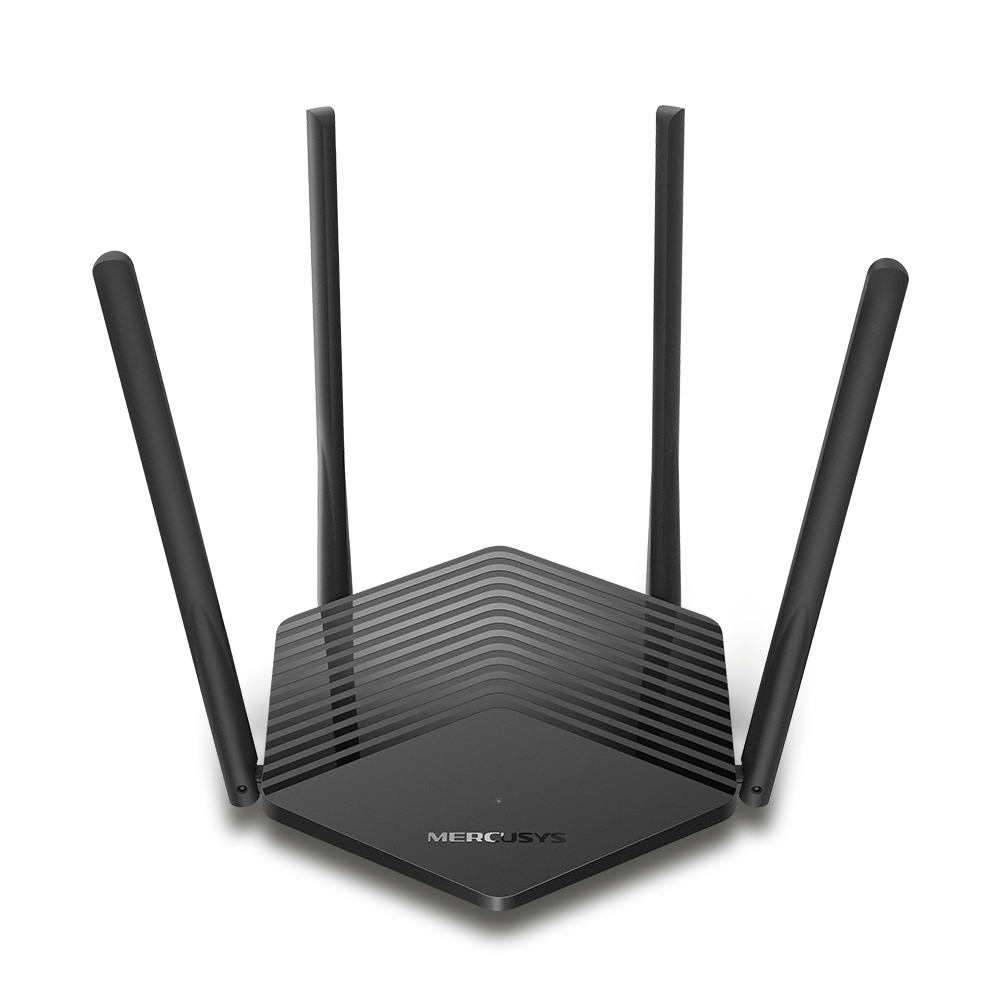
MR60X V2
AX1500 Wi-Fi 6 Router
-
2.0_01_large20200513030154.jpg)
AC12 V3
AC1200 Dual Band Wireless Router
-
1.0_01_large20200616070042.jpg)
AC10 V1
AC1200 Wireless Dual Band Router
-

MW325R V3
300Mbps Enhanced Wireless N Router
-
_1906_02_large20200513090024.jpg)
MW305R V3
300Mbps Wireless N Router
-
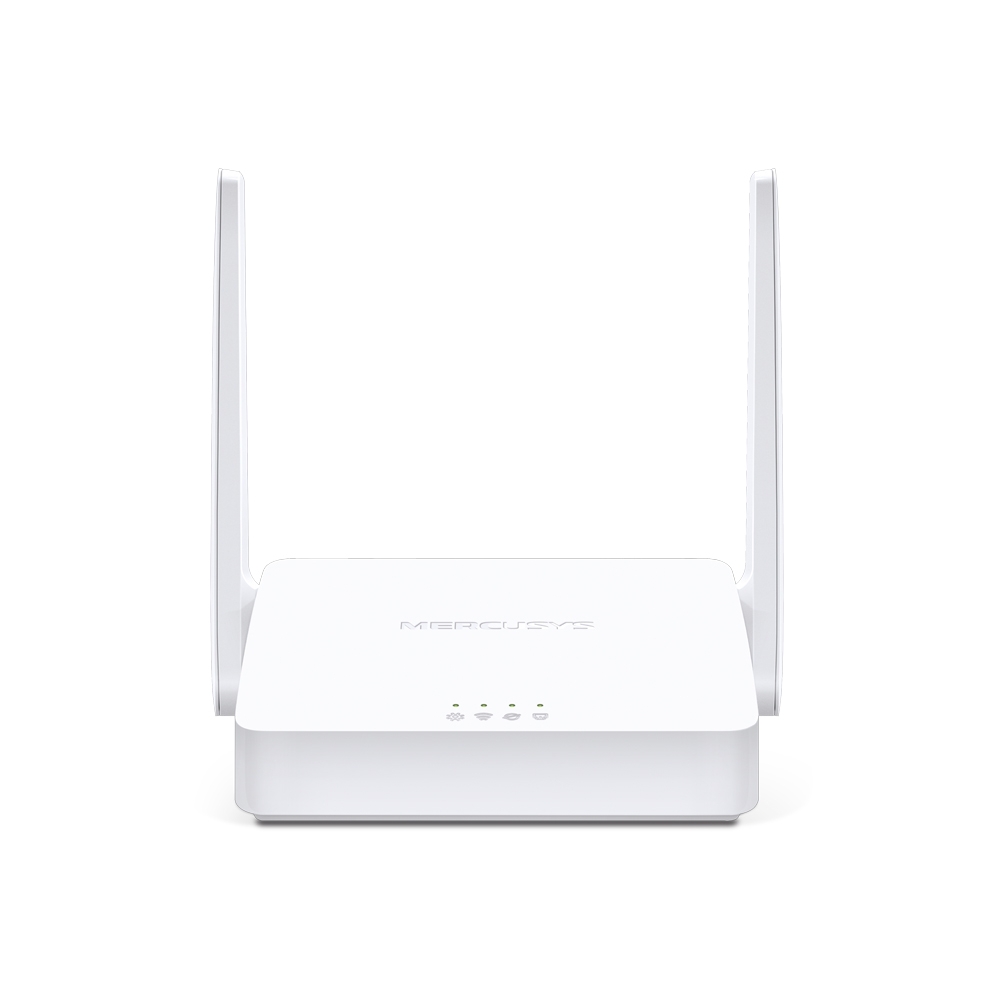
MW301R V3
300Mbps Wireless N Router
-
-
Range Extenders
-

ME70X V1
AX1800 Wi-Fi 6 Range Extender
-

ME50G V1
AC1900 Wi-Fi Range Extender
-

ME30 V1
AC1200 Wi-Fi Range Extender
-
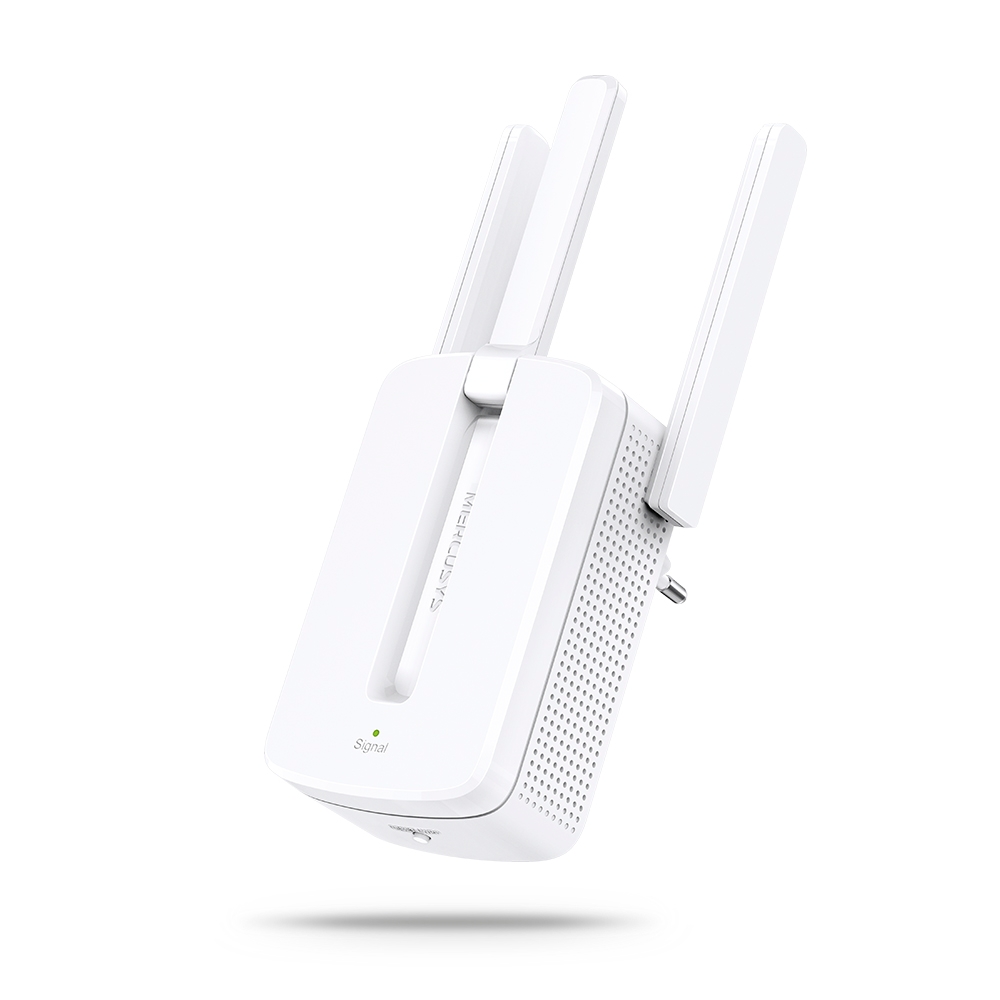
MW300RE V4
300Mbps Wi-Fi Range Extender
-
Compatible con varios idiomas
La aplicación MERCUSYS admite hasta 26 idiomas, lo que permite una fácil administración de la red para usuarios de todo el mundo.
-
English
-
Nederlands
-
Français
-
Deutsch
-
Italiano
-
日本語
-
한국어
-
Português
-
Español
-
繁體中文
-
Русский язык
-
Português Brasil
-
Español
(Latinoamérica) -
Български
-
Українська мова
-
Polski
-
Română
-
Slovenčina
-
ไทย
-
Türkçe
-
Čeština
-
Tiếng Việt
-
Eλληνικά
-
Bahasa Melayu
-
Magyar
-
עברית
-
Wireless

| Wireless Standards | Compatible with 802.11be/ax/ac/a/b/g/n Wi-Fi standards |
|---|---|
| Signal Rate | BE9300 |
| Wireless Security | WPA-PSK/WPA2-PSK/WPA3-SAE*** |
| Wireless Functions | • Multi-Link Operation (MLO) |
-
Software
| WAN Type | Dynamic IP/Static IP/PPPoE/L2TP/PPTP |
|---|---|
| Management | Access Control |
| DHCP | Server, DHCP Client List |
| NAT Forwarding | Port Forwarding, Port Triggering, UPnP, DMZ |
| Firewall Security | SPI Firewall, IP and MAC Address Binding |
| Guest Network | 2.4 GHz Guest Network 5 GHz Guest Network 6 GHz Guest Network |
| VPN Sever | OpenVPN/PPTP/L2TP/ WireGuard VPN Server and Clients |
-
Hardware
| Dimensions (W X D X H) | 10.1 × 4.7 × 1.7 in |
|---|---|
| Interfaces | 1× 2.5 Gbps WAN Port + 3× 2.5 Gbps LAN Ports |
| Button | Reset/WPS Button |
| Antenna Type | 6× Fixed Omni-Directional Antennas |
-
Others
| Network Services Enabled by Default | Web Server Manage and configure device through web (HTTP/HTTPS) • Port: 80/443; Protocol: TCP
DHCP Server IP address assignment (DHCP) • Port: 67; Protocol: UDP
DNS DNS • Port: 53; Protocol: TCP & UDP
App management Manage and configure device through app • Port: 20001; Protocol: TCP • Port: 20002; Protocol: UDP |
|---|---|
| Package Contents | • BE9300 Tri-Band Wi-Fi 7 Router MR47BE |
| Environment | • Operating Temperature: 0°C~40°C (32°F~104°F) |